Master Your Time: How the WFCOS Timer Supercharges Your Pomodoro Sessions
Explore the Timer feature in Work From Coffee OS. Learn how it helps you track work, link tasks to Pomodoro sessions, and stay focused for peak productivity.

Written by WFC Barista
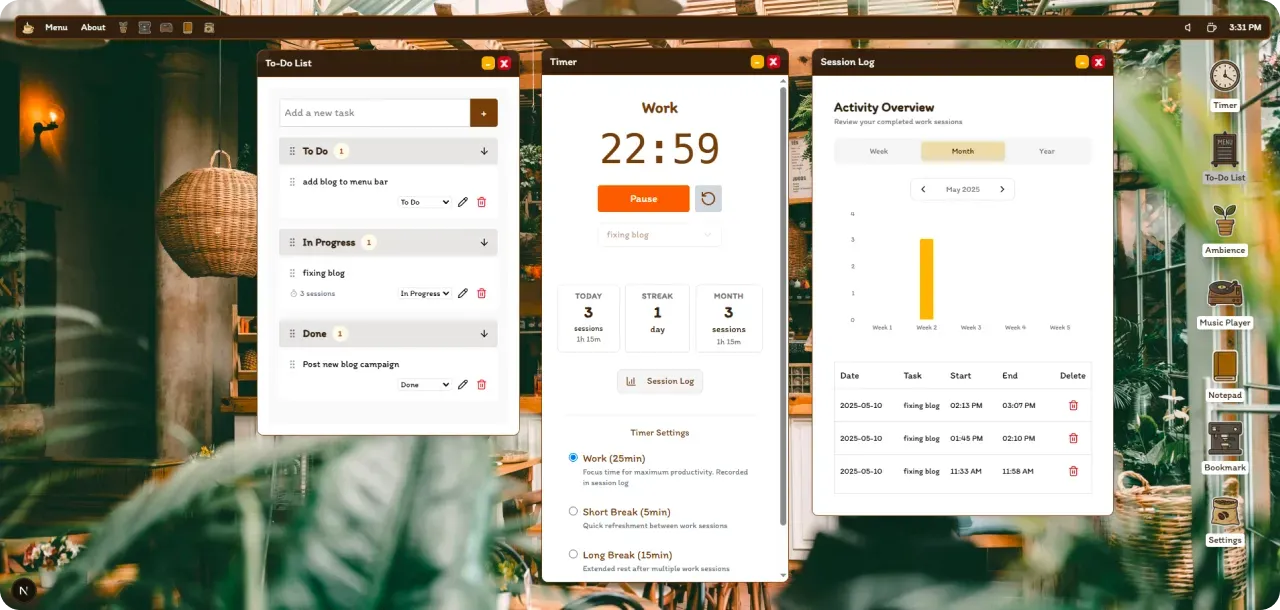
In the quest for productivity, having the right tools can make all the difference. While the Pomodoro Technique offers a fantastic framework for focused work, integrating it smoothly into your digital workflow is key. That's where the built-in Timer in Work From Coffee OS (WFCOS) comes in, designed to help you master your time and stay on top of your tasks.
Seamless Pomodoro Integration and Beyond
The WFCOS Timer isn't just a simple countdown clock; it's a thoughtful tool crafted to enhance focused work methodologies like the Pomodoro Technique. Whether you're a seasoned Pomodoro practitioner or just looking for a way to manage your work intervals effectively, the Timer provides the support you need, right within your operating environment.
Key Benefits of the WFCOS Timer
Let's dive into how the specific capabilities of the WFCOS Timer can elevate your work sessions:
- Track Your Work Sessions and Productivity Effortlessly The Timer allows you to track your work sessions, giving you valuable insights into how you spend your time. Understanding these patterns is the first step towards optimizing your workflow and boosting overall productivity. You can see what you've accomplished and when you're most effective.
- Link Tasks Directly to Your Timer Sessions One of the standout features is the ability to link a task directly to your work session. This creates a powerful connection between your to-do list and your focused work intervals. When you start a timer for a specific task, your attention is naturally channeled, reducing the mental load of deciding what to work on next and keeping you anchored to your priorities.
- Reliable Background Operation for Uninterrupted Focus There's nothing more frustrating than a timer that stops when you switch windows or minimize an app. The WFCOS Timer runs reliably in the background, ensuring your Pomodoros or timed work blocks continue uninterrupted, no matter what else you're doing in the OS. This reliability means you can trust your timer and stay immersed in your task.
- Maintain Focus within Your Integrated Workspace Having the Timer as an integral part of WFCOS means you don't need to switch to a separate application or browser tab to manage your work intervals. This minimizes context switching, a notorious productivity killer, and helps you maintain a deep state of focus.
User Highlight: "Since using the WFCOS Timer, I've noticed a significant improvement in my ability to stay on task. Linking tasks to my Pomodoros has been a game-changer for my daily planning!"
More Than Just a Timer
The Timer is a core component of the productivity suite within Work From Coffee OS. It's designed to work in harmony with other features, creating a cohesive environment where you can manage your tasks, notes, and focused work time all in one place.
Take Control of Your Time
By providing features like session tracking, task linking, and reliable background operation, the WFCOS Timer empowers you to take full control of your time. It's more than just a utility; it's a partner in your pursuit of productivity and a healthier work rhythm.
New to the Pomodoro Technique or want a refresher on its core principles? Read our guide on how this simple method can revolutionize your workday.
Keywords: WFCOS timer, Work From Coffee OS features, pomodoro timer app, productivity tools, task management, time tracking, focused work