Best Free Web-Based To-Do List Tools: No Installation Required
Discover the top free web-based to-do list tools that work directly in your browser. Learn about their features, benefits, and how they can help you stay organized without installing any software.

Written by WFC Barista
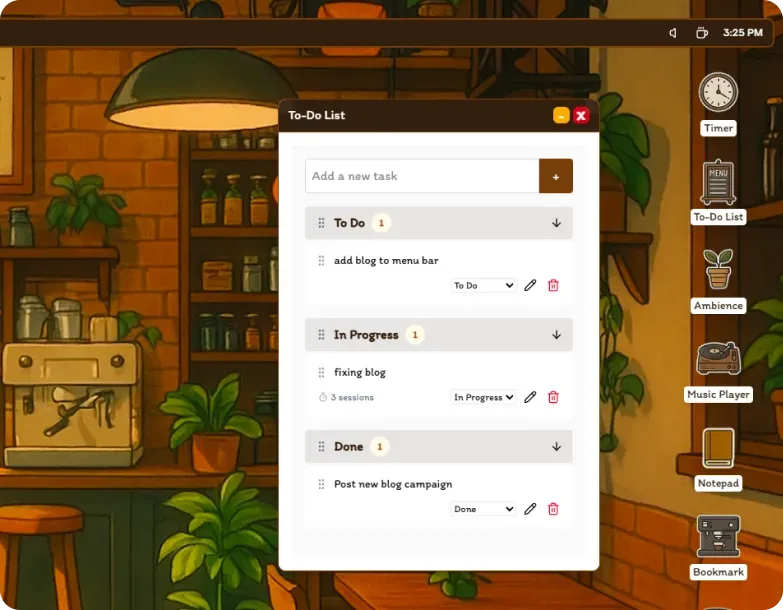
In today's digital workspace, having quick access to task management tools without installation is essential. Web-based to-do list tools offer the perfect solution - they're accessible from any device with a browser, require no setup, and can be used instantly. Let's explore free options that are still useful when you want instant access from the browser.
Why Choose Web-Based To-Do List Tools?
Web-based to-do list tools offer several advantages:
- No installation required
- Access from any device
- Automatic updates
- No storage space needed
- Cross-platform compatibility
Top Free Web-Based To-Do List Tools
1. Todoist
Todoist is a powerful web-based task manager with a clean, intuitive interface.
Key Features:
- Task organization with projects
- Priority levels
- Due dates and reminders
- Natural language input
- Cross-platform sync
2. Microsoft To Do
Microsoft To Do offers a simple yet effective way to manage tasks with Microsoft integration.
Key Features:
- Clean, minimalist interface
- Smart lists
- My Day feature
- Microsoft 365 integration
- Cross-platform support
3. Any.do
Any.do combines task management with calendar integration in a beautiful interface.
Key Features:
- Calendar integration
- Recurring tasks
- Location-based reminders
- Voice input
- Cross-platform sync
How to Get Started
- Choose a tool that matches your needs
- Create an account (if required)
- Set up your first project or list
- Add your initial tasks
- Configure notifications
Tips for Using Web-Based To-Do Lists
- Use keyboard shortcuts
- Keep the tab open during work sessions
- Consider using a separate browser profile
- Take advantage of natural language input
- Use the offline functionality when needed
Advanced Features to Look For
When choosing a web-based to-do list tool, consider:
- Task organization capabilities
- Reminder and notification options
- Integration with other tools
- Offline functionality
- Export/import capabilities
The Future of Web-Based Task Management
As web technologies advance, we're seeing more sophisticated features in browser-based tools. For those looking for a more comprehensive solution, Work From Coffee OS offers advanced features while maintaining the convenience of web access.
Conclusion
Web-based to-do list tools provide an excellent starting point for anyone looking to improve their task management. They're accessible, easy to use, and require no commitment. Start with these tools, and as your needs grow, consider exploring more advanced solutions like Work From Coffee OS.
Want to learn more about task management? Check out our guide to the power of to-do lists.
Keywords: web-based to-do list tools, browser task managers, no-install tools, productivity tools, task organization